
This page outlines how to launch a standard online payment flow by generating a secure payment form for customers.
It is designed to ensure smooth checkout experiences while maintaining security and real-time transaction updates for the business.
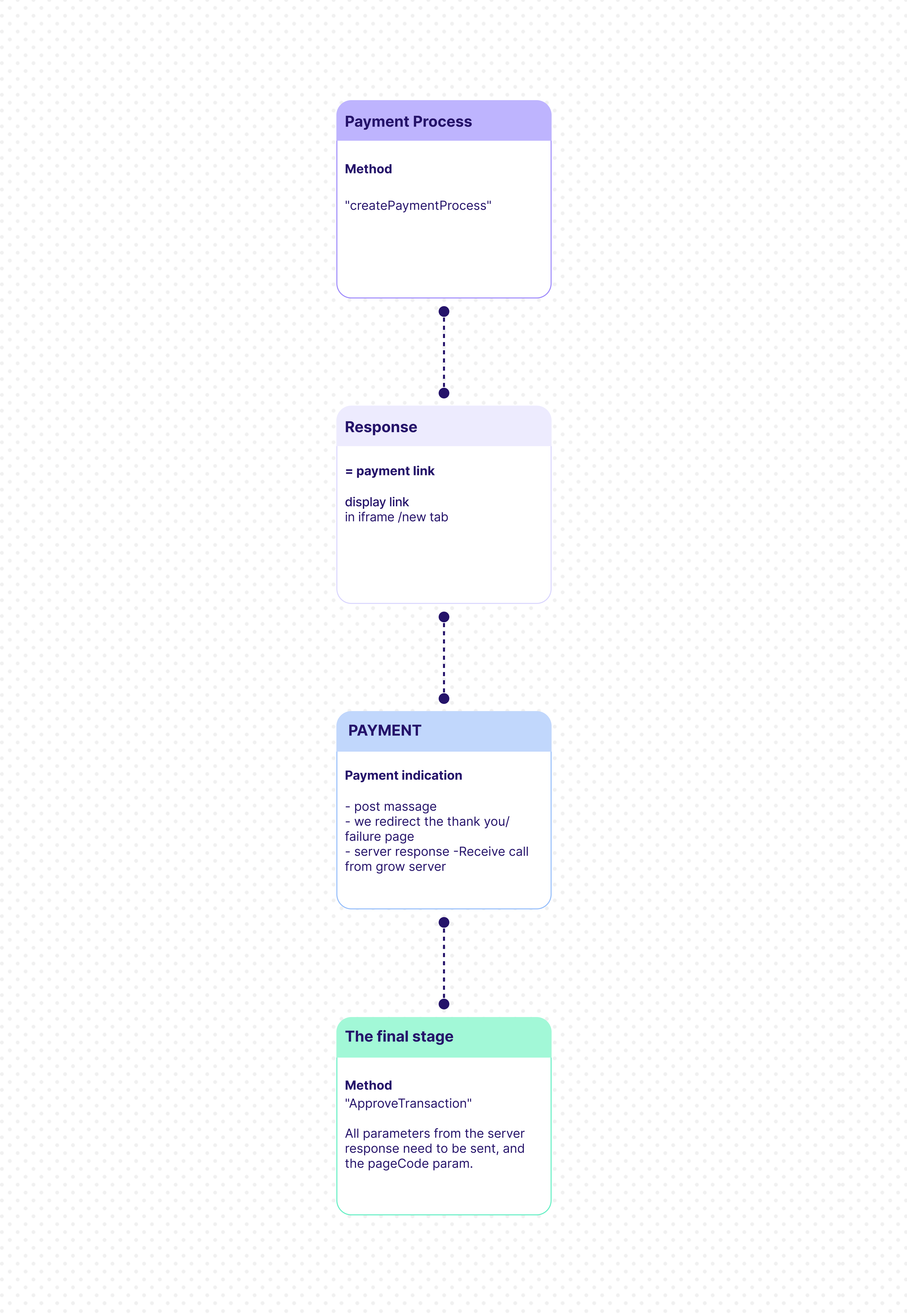
The process includes creating a payment form, displaying it in an iFrame or new tab, receiving the customer payment indication and server update, and then completing the flow with the ApproveTransaction request.
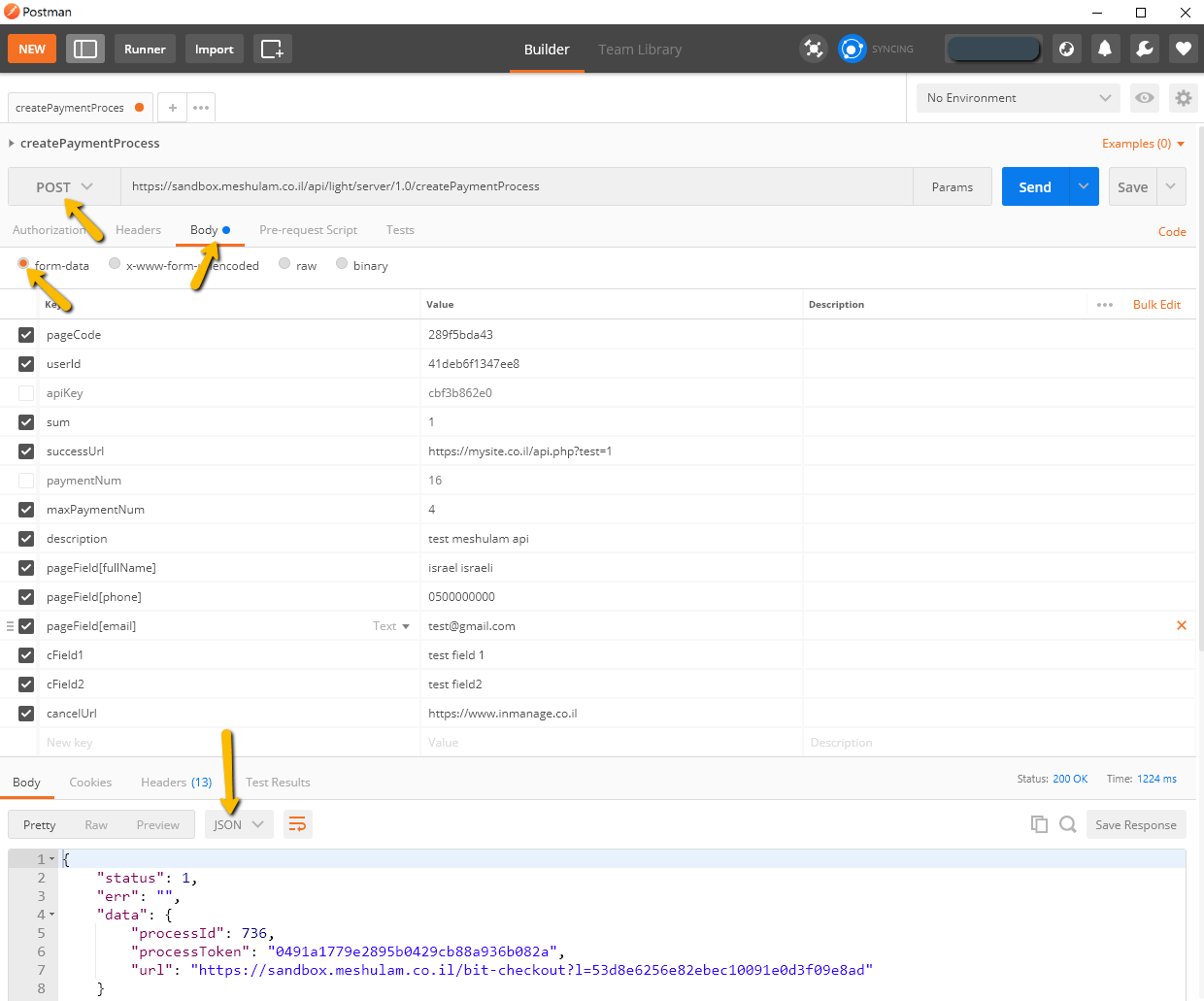
This API initiates a standard payment process and returns a secure URL for the transaction form.
The userId and pageCode parameters are provided by Grow during the onboarding process
The flow:
Important Notes
- The URL will be valid for 10 min.
- The transaction will be processed even if the Approve Transaction request is not executed or fails.
- Due to URL length restrictions in the browser, restricted to 2000 characters, it is possible that not all Optional fields would return on requesting the Thank You page. ( On a request made to the server all fields will return).
- The successUrl and the optional fields must contain valid characters. In case you are interested in sending different parameters, it is recommended that you would use encryption of base64 or a similar one to it.
- In case of using Post Message, the successUrl and cancelUrl are not required.
- In case of using iFrame, please see iFrame section. iframe info
- To receive the invoice via webhook, set the invoiceNotifyUrl parameter with your endpoint.
- The successUrl and cancelUrl must point to external URLs. localhost is not allowed.
- When using an iFrame, ensure that the URL uses HTTPS rather than HTTP.
ImportantOnly server-side requests are allowed. Any client-side (browser-based) requests will be blocked.